











← All work

Case study 05 · Product design

Grovu: a party menu, grocery list and cooking plan in minutes.

An AI menu planner for people who host. Pick the occasion, guests and budget, and Grovu builds the menu, prices the groceries at a real store and works the cooking schedule backwards from when guests arrive.

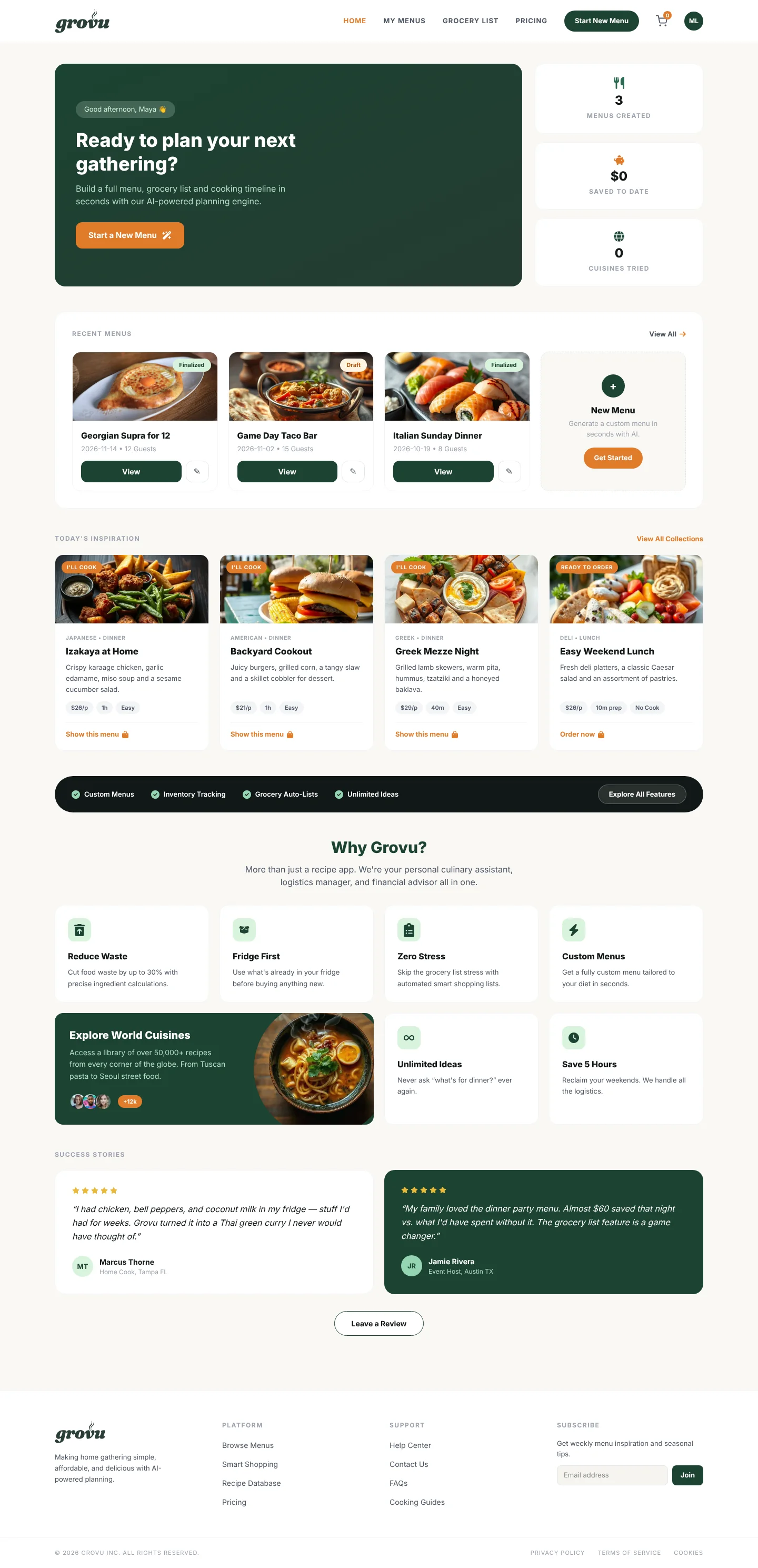
Role
Lead product designer
Platform
Desktop web & mobile web
Timeline
2026
Scope
Research, UX, UI, design system, pricing

01

The problem

Hosting means a dozen decisions before anyone cooks: what to serve for this many people, what it will cost, what to buy, and when to start each dish so everything lands at once. Recipe apps answer one dish at a time, so the real planning stays in the host’s head.

How might we turn “I’m hosting ten people on Saturday” into a menu, a priced grocery list and a cooking plan, without the host doing the math?

02

Research & landscape

I compared meal planners, recipe managers and general AI assistants to see where hosts still had to stitch the plan together themselves.

Grovu · Competitive analysis

Built for the party, not the weekly dinner plan

Planners handle weekly dinners. None prices dishes against a budget or builds a cooking timeline back from when guests arrive.

YesPartlyNo–Not stated

Grovu

This project

Samsung Food

eMeals

Plan to Eat

ChatGPT + Instacart

AI menu from your constraints
Paid plan
Unstructured chat
Plans for a party and guest count
–
–
By prompt only
Budget-aware, cost per dish
Fixed budget plan
No cost tool
–
Grocery list from the menu
List priced and sent to a real store
Some regions
No prices shown
Cooking timeline from guest arrival
By prompt only
Cuisine and diet filters
Limited
By prompt
Free tier

Sources: Samsung Food, eMeals, Plan to Eat, Instacart investor release. Oct 2026.

Insight 1

Meal planners are built for weekly dinners, not one-off events with a guest count.

Insight 2

No one prices individual dishes against a budget before you shop.

Insight 3

No competitor builds a cooking timeline back from when guests arrive; a general chatbot only gets close by prompting.

03

Key decisions

Four decisions shape every screen.

01

Start from the party, not the recipe

Occasion, guest count, budget, cook mode and skill come first. Dishes follow from the party, not the other way round.

02

Budget you can always see

Every menu shows estimated cost, cost per person and how far under budget it lands, before anything is bought.

03

Groceries priced at a real store

The list is matched to real Kroger items with package sizes and prices, and “Have it” takes what’s already in the kitchen off the total.

04

A plan that works backwards

The timeline starts from when guests arrive and flags shared oven slots, so every dish is ready at the same time.

04

The designs

Every screen, grouped by platform: desktop web, mobile web and the native app. Use the arrows or swipe, and scroll inside each frame.

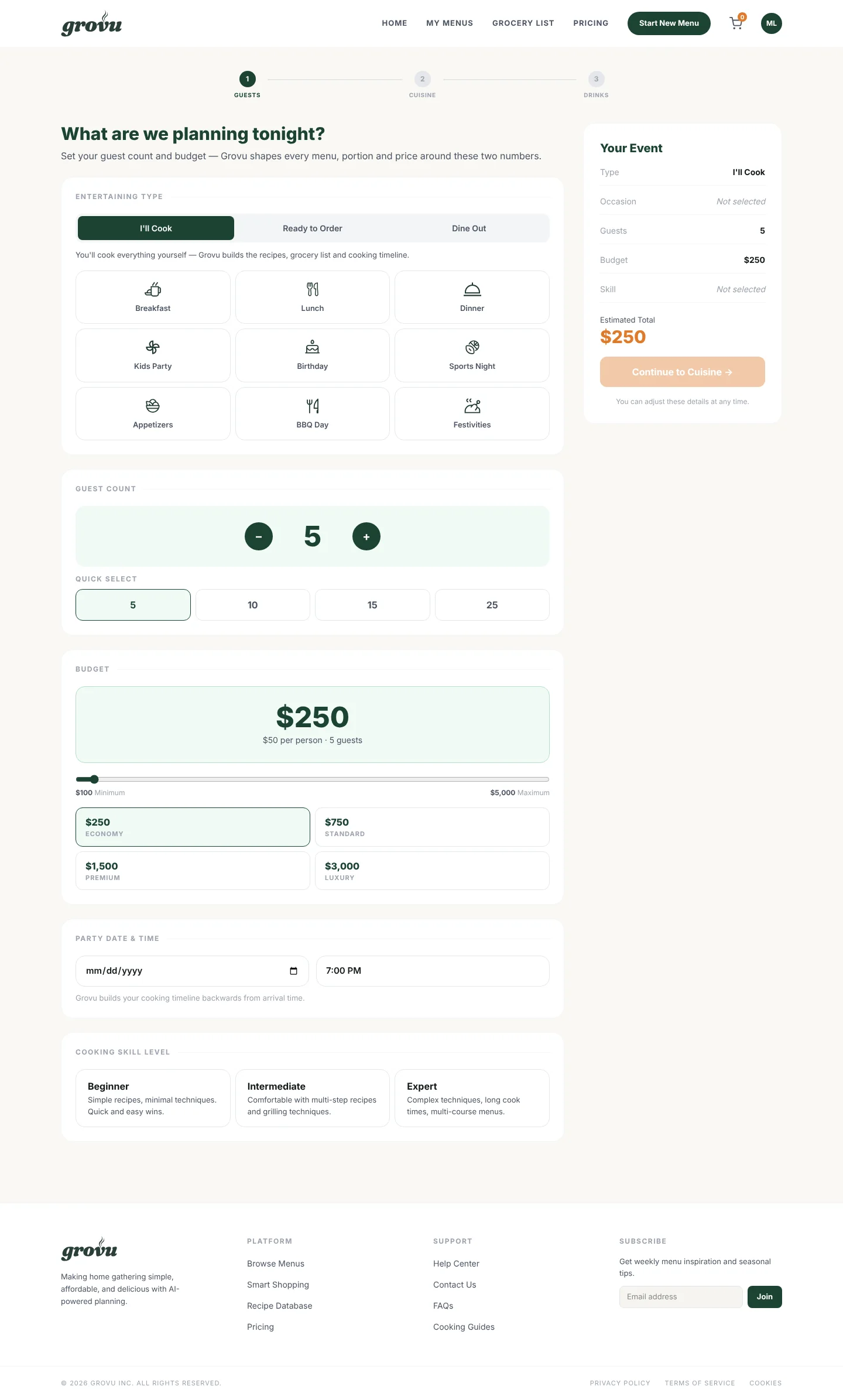
Build a menu

One page of choices: entertaining type, occasion, guests, budget and timing, with the event summary and running total on the side.

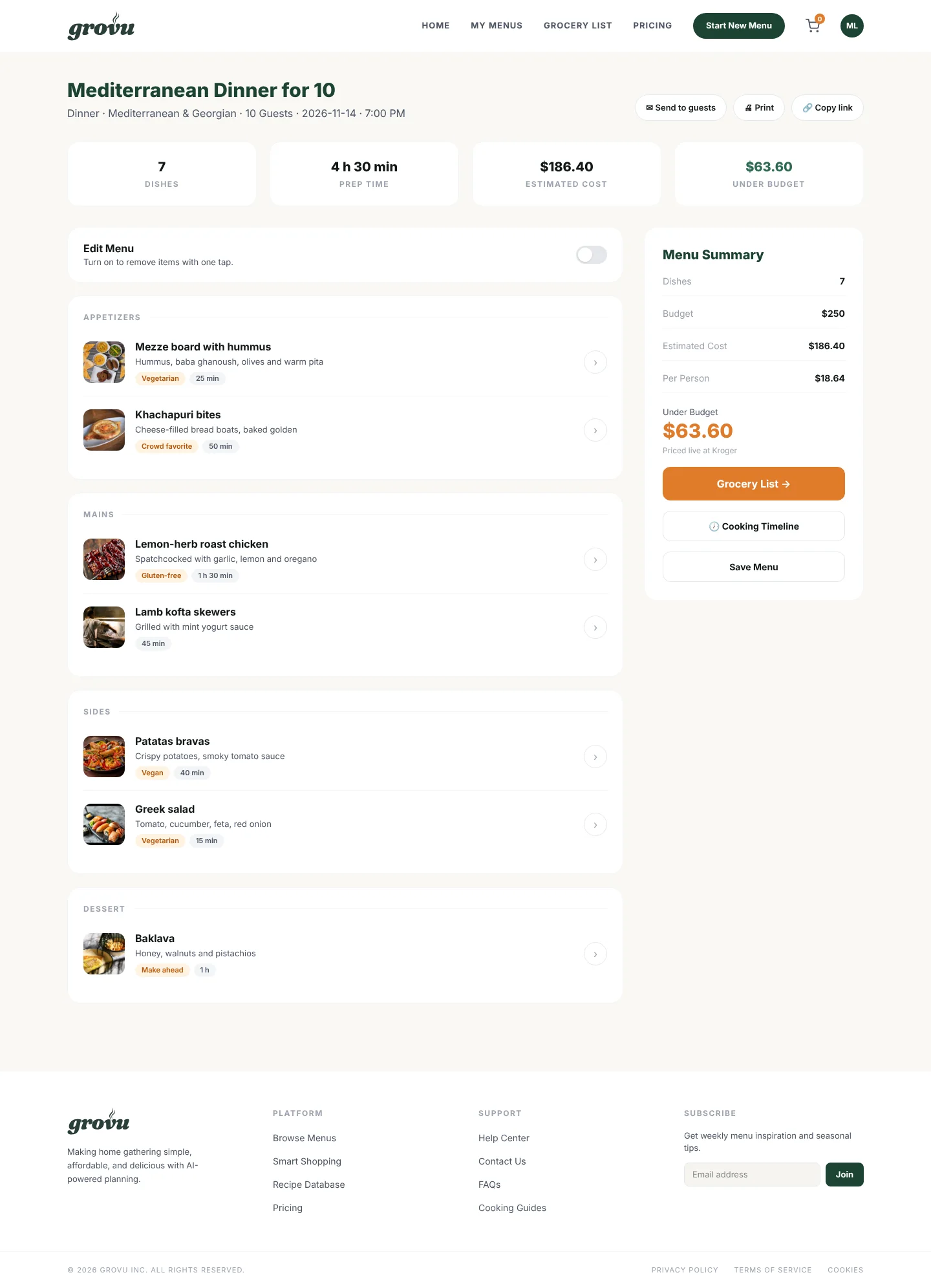
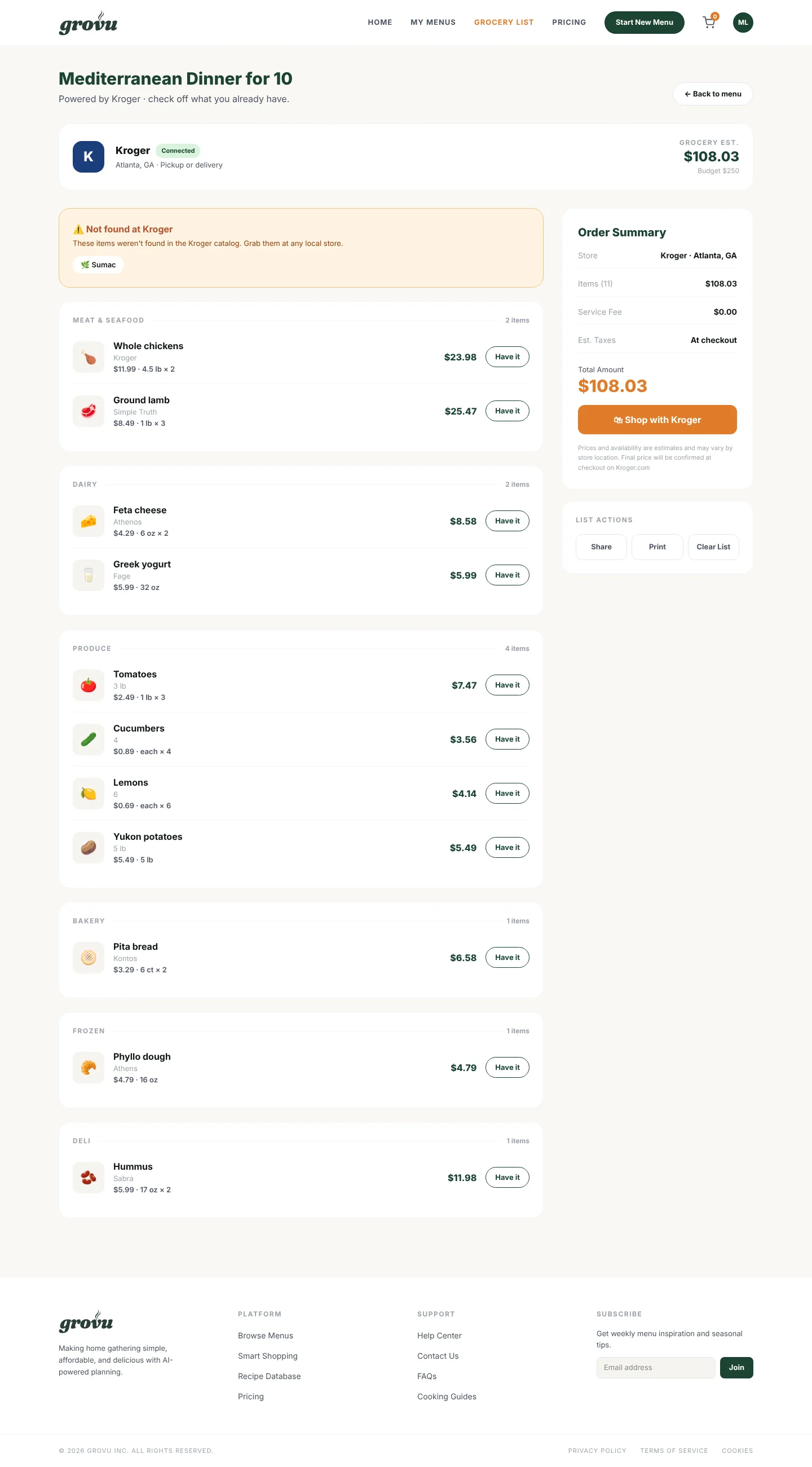
Menu, groceries and timeline

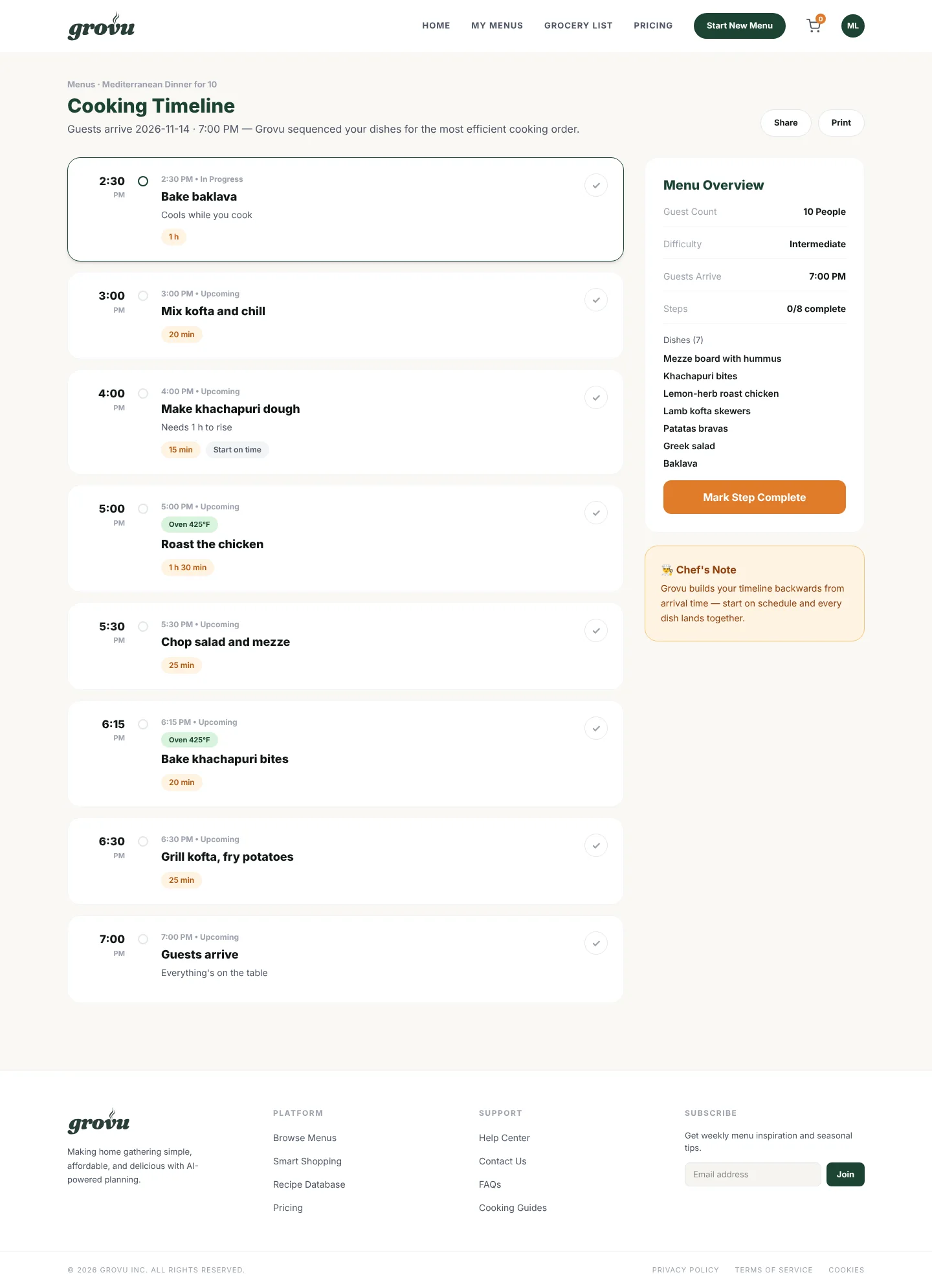
The generated menu leads with dishes, cost and budget; the grocery list is priced at Kroger; the timeline counts back from when guests arrive.

Dashboard, saved menus and plans

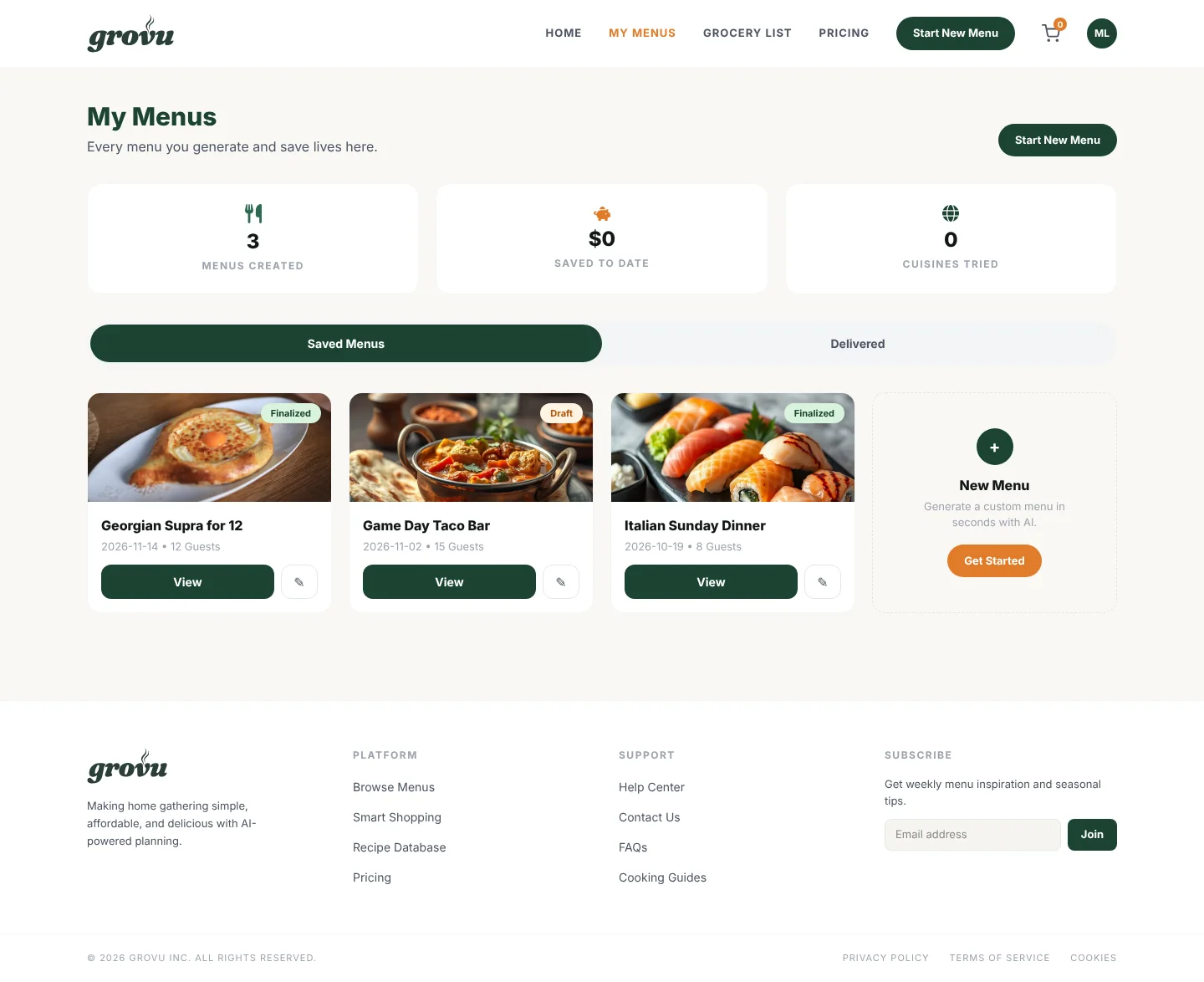
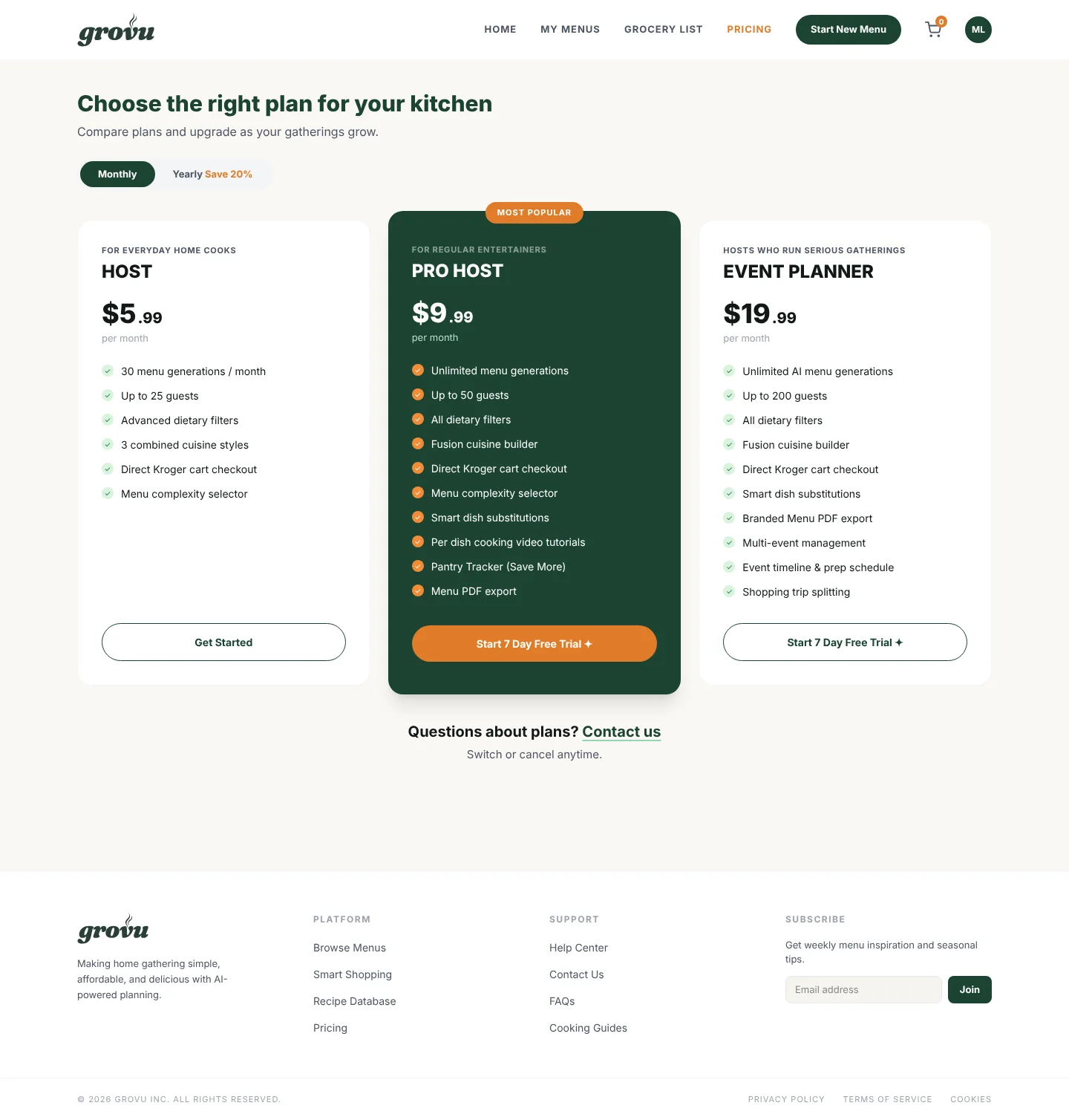
A home that picks up the next party, saved menus with their status, and plans that make the free tier useful on its own.

Marketing site

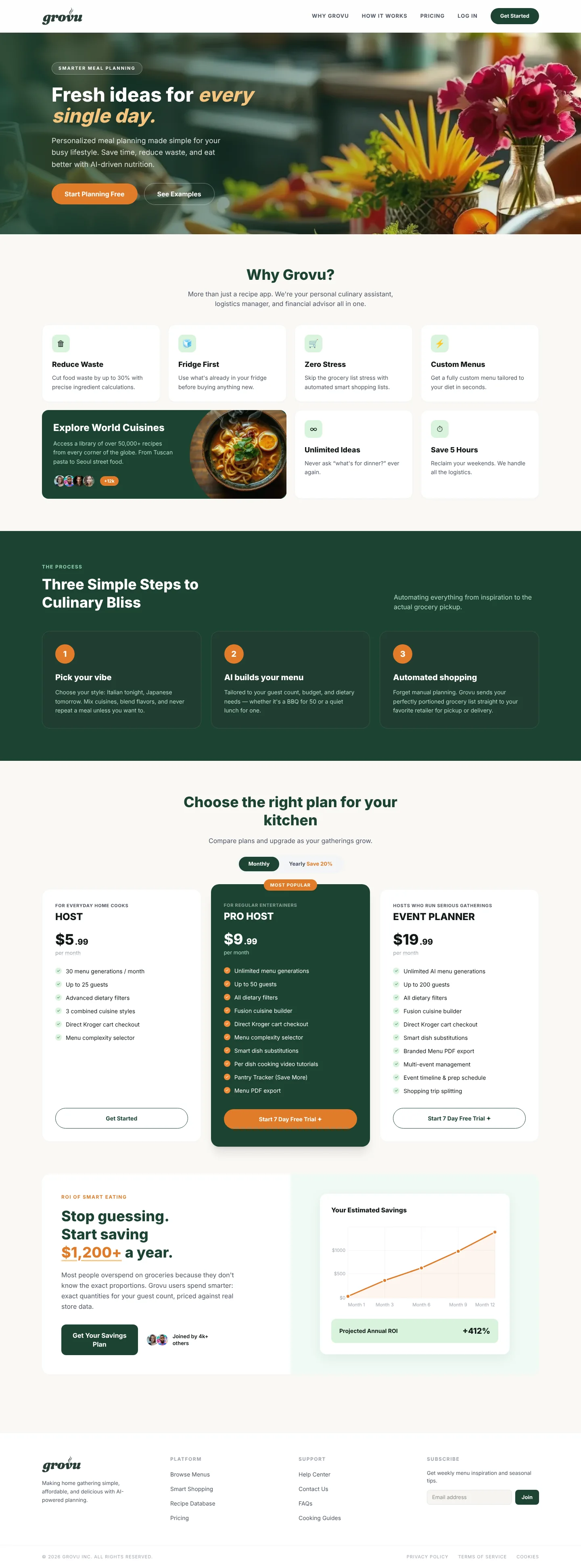
The landing page sells the outcome in one line, then walks through the three steps.

Desktop web · 8 screens

Build a menu
Build a menu · desktop
Menu
Menu · desktop
Grocery list
Grocery list · Kroger prices
Cooking timeline
Cooking timeline
Dashboard
Dashboard · desktop
My menus
My menus
Pricing
Plans and pricing
Landing page
Landing page · desktop

Mobile web · 8 screens

Build on mobile
Build · mobile web
Home on mobile
Landing · mobile web
Menu on mobile
Menu · mobile web
Groceries on mobile
Groceries · mobile web
Timeline on mobile
Timeline · mobile web
Dashboard on mobile
Dashboard · mobile web
My menus on mobile
My menus · mobile web
Pricing on mobile
Pricing · mobile web

05

The Grovu design system

Forest green for structure and trust, a warm carrot orange for the actions that start cooking, Inter throughout, on a soft cream page.

Grovu · Design system

Warm, appetizing, organized

Forest green for trust and structure, a warm orange for the moments that start cooking, on a soft cream page.

Brand

Forest
#1B4332
Leaf
#2D6A4F
Mint
#D8F3DC
Carrot
#E07B2A

Neutral

Cream
#FAF8F5
Ink
#111817
Body
#4B5563
Line
#E5E7EB

Typography

Display · Inter 800
Your next gathering
Heading · Inter 800
Mediterranean Dinner for 10
Body · Inter 400
A full menu, grocery list and timeline in seconds.
Section label · Inter 700
Today’s inspiration
Figure · Inter 800
$186.40

Components

Start a new menuViewCooking timeline
VegetarianCrowd favorite25 minFinalized
GREEK · DINNERGreek Mezze NightGrilled lamb skewers, warm pita, hummus
2:30 PMBake baklavaCools while you cook1 h · oven
Color, type and core components

06

Outcomes & what’s next

16

screens across desktop and mobile web

3

outputs from one brief: menu, grocery list, timeline

1

design system for the site and the app

Next on the roadmap

Native iOS and Android apps, with timeline reminders on the phone while you cook.

What I’d do differently

Test the menu builder with real hosts earlier. How people describe a party shaped the inputs more than any feature list.

Next case study · 01

BabyBadger · parent, sitter and kid apps →

Thursday, Oct 1Hi Maya
M
The Lee family3:00 – 7:00 PM
At their home · 4 tasks, first 3:15
Then · Ortiz family, bedtime for Sam7:30 – 10 PM
NEEDS YOU2
Infant CPR expires in 21 daysRenew and share the new card · Lee family requires it
Lee family asks for Sat 6 – 10 PMOverlaps your time off · answer by Fri
18 hbooked this week
TOOLS
AvailabilityTime offNew invoiceSoonHours and payCredentialsMy detailsRequests